 CouponStack
Coupon offers for WooCommerce
Every offer your store needs. One plugin.
Buy X get Y, tiered discounts, bundles, free gifts, free delivery, discount caps and smart rules, all built on WooCommerce’s own coupons. Offers apply automatically and tell shoppers how much they save.
Start 7-day free trial See all features
No card needed. Then ₹599 or $6.99 per 30 days. No auto-renewal.
Automatic offers
Offers that apply themselves, and stack the way you want
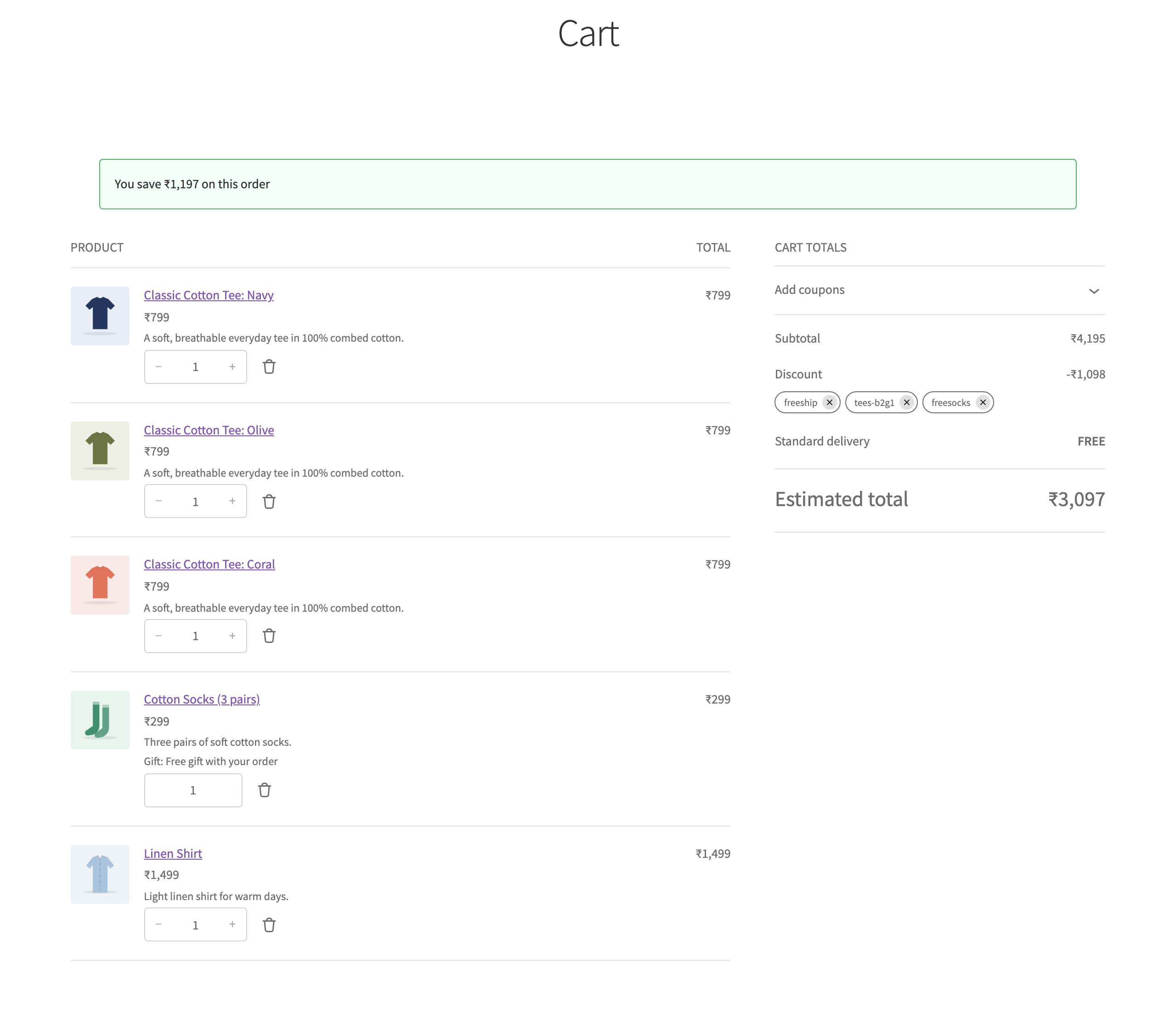
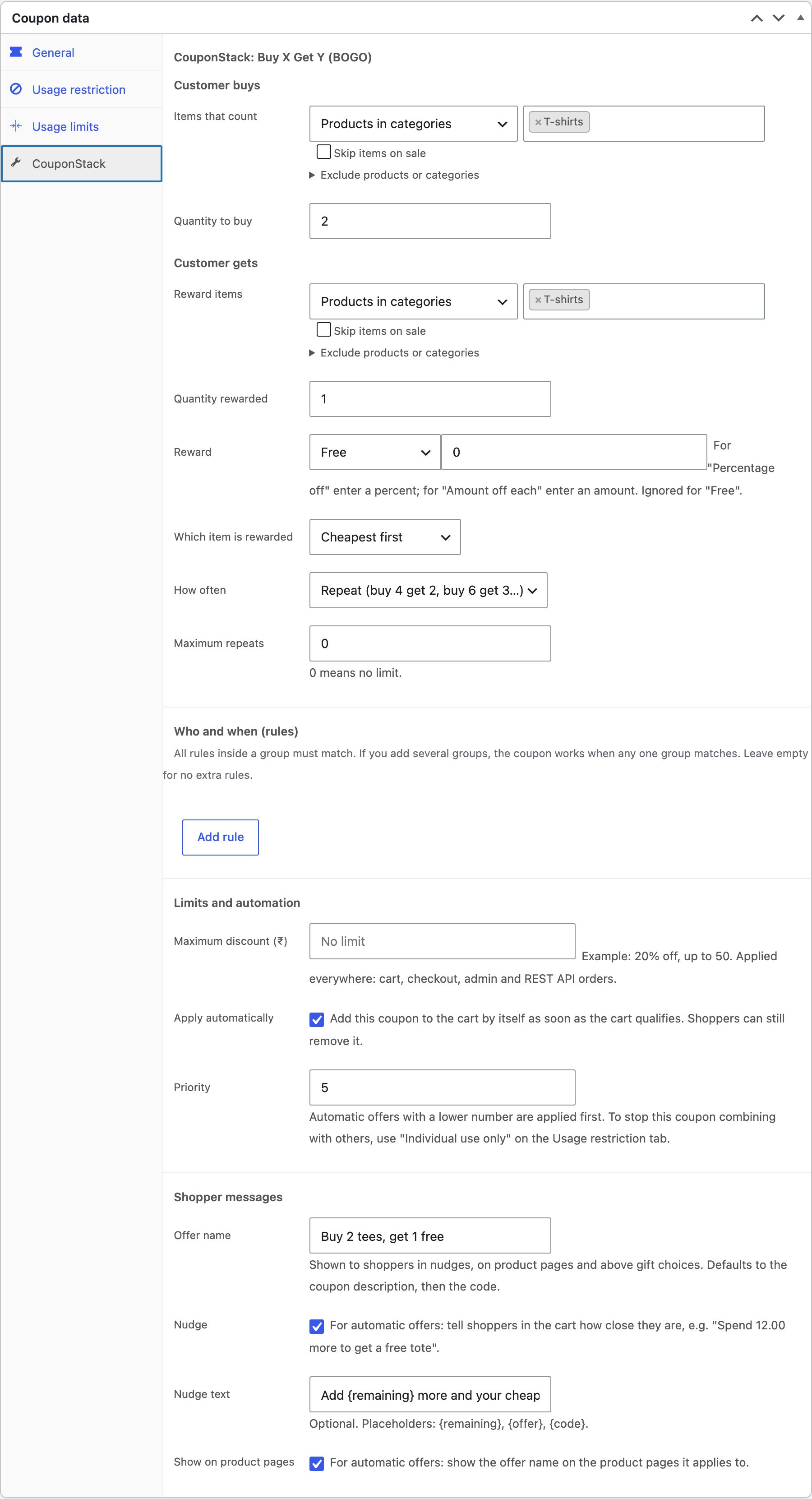
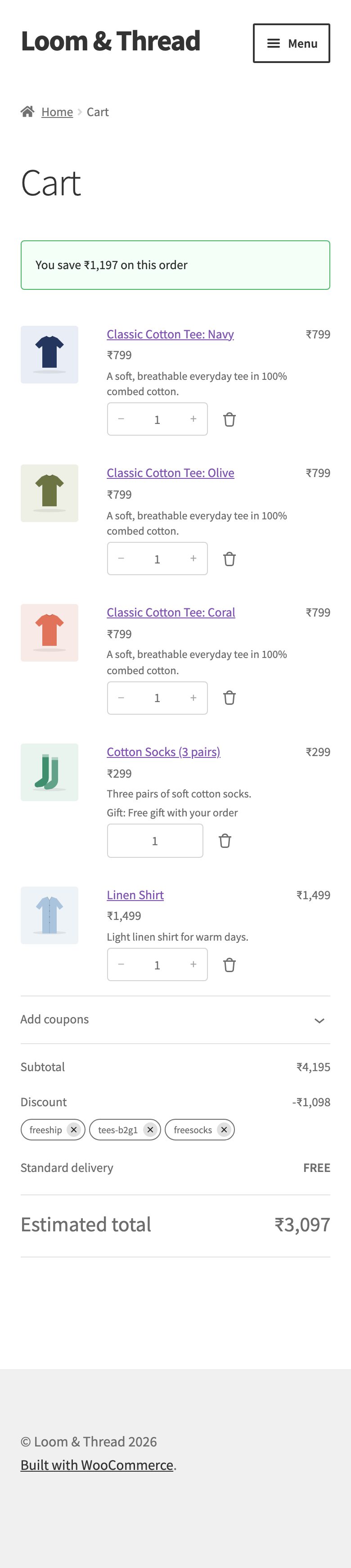
Tick Apply automatically and the offer is added the moment the cart qualifies, and removed when it no longer does. Set a priority to decide the order, or apply only the best offer. Gifts and free delivery are added on top.
- No codes to remember, so fewer abandoned carts
- Shoppers can still remove an offer they don’t want
- Limit how many automatic offers one cart can get
Nudges
Show shoppers how close they are to the next reward
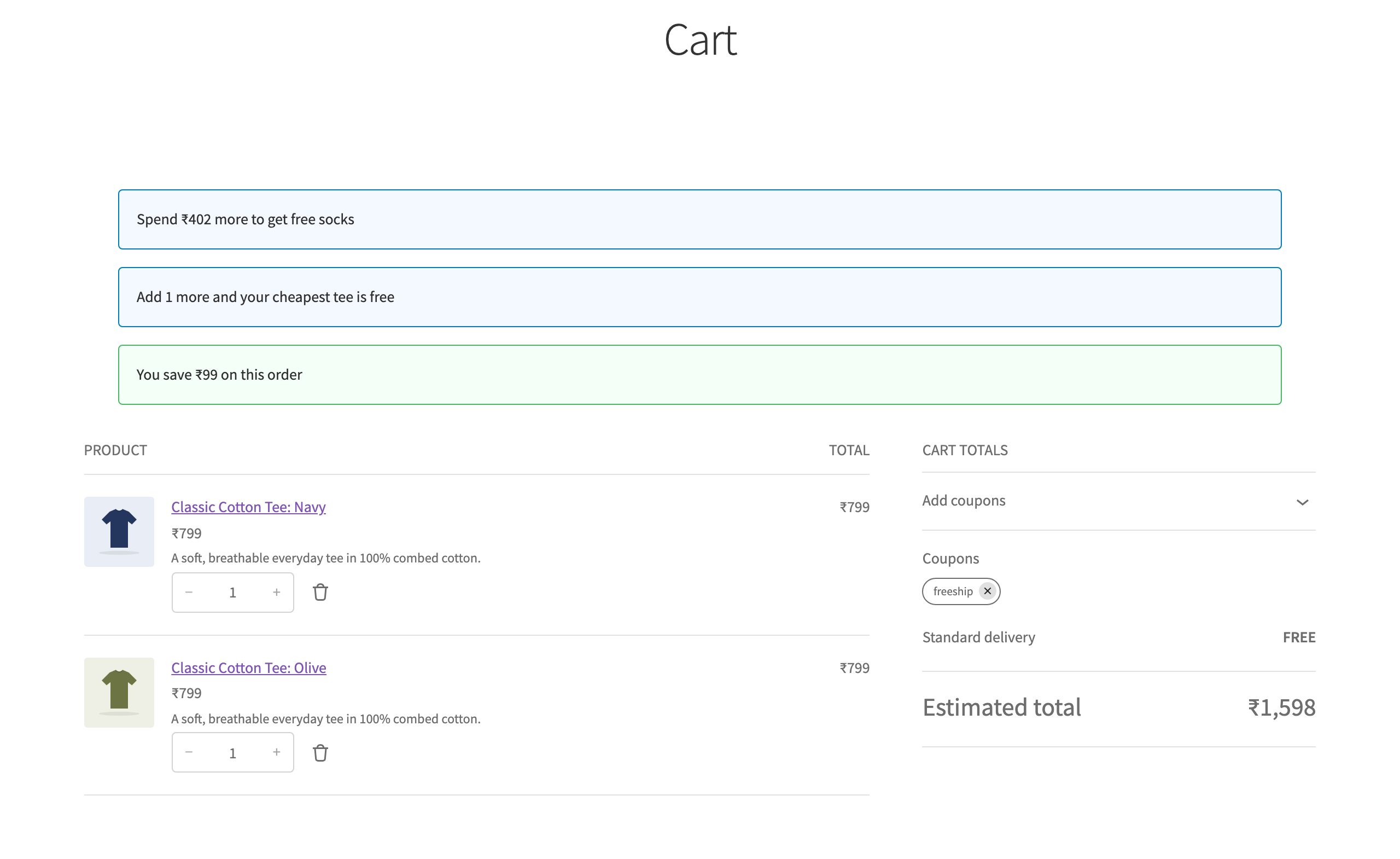
“Spend ₹402 more to get free socks.” “Add 1 more and your cheapest tee is free.” Nudges turn offers into bigger orders, with your own wording or the default text.
- Amount and item nudges with an optional progress bar
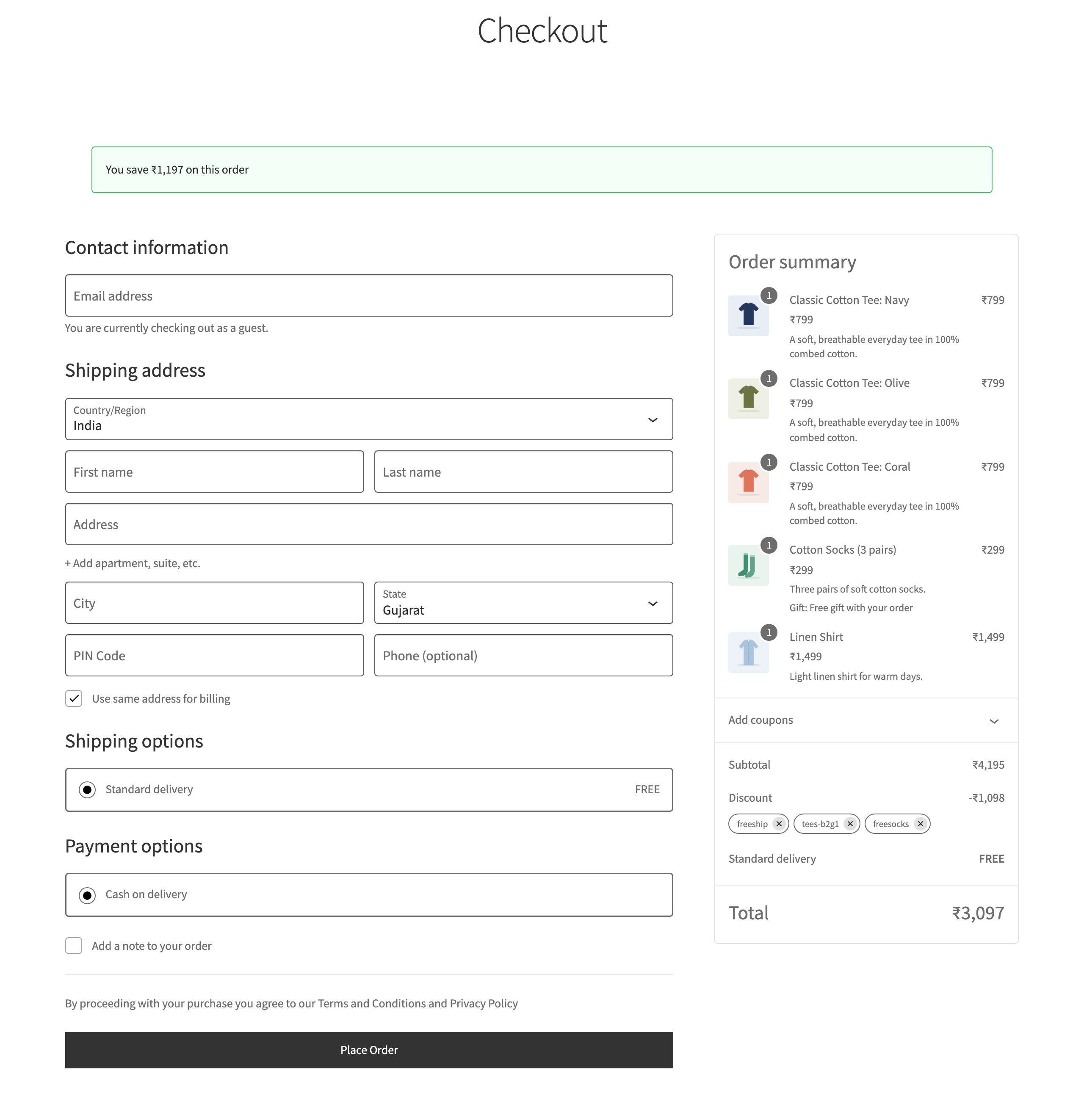
- “You save ₹…” in the cart, at checkout, on the order page and in emails
- Clear reasons when a coupon doesn’t apply, e.g. “Spend ₹999 or more to use this coupon”
Product pages
Advertise offers where shoppers decide
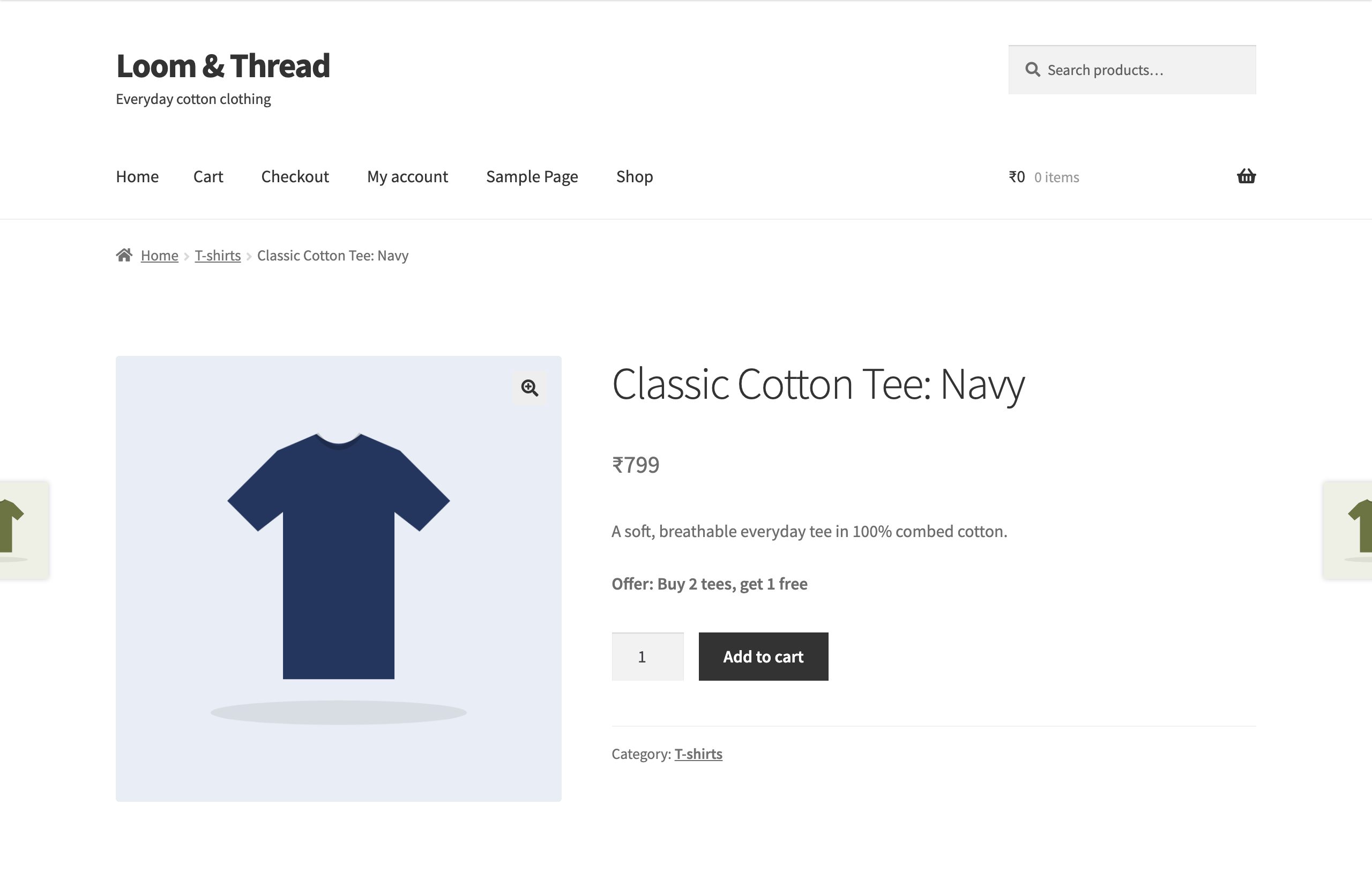
Turn on Show on product pages and every product an offer applies to shows it, such as “Offer: Buy 2 tees, get 1 free”, right above the Add to cart button.
Set up in minutes
Inside the WooCommerce coupon screen you already know
Go to Marketing → Coupons → Add coupon, choose a CouponStack discount type, and fill in the CouponStack tab. Usage limits, expiry dates and reports keep working exactly as before.
Everything included, in every plan
Buy X Get Y
Buy 2 tees, get 1 free. Same or different products, free or part-discounted, once, repeating or in tiers.
Tiered discounts
Spend ₹3,000 save 5%, spend ₹5,000 save 10%. By quantity or amount spent.
Bundle price
Any shirt and jacket for ₹3,999. Fixed price for any N items from a group.
Free gifts
Free socks on orders over ₹2,000. Added automatically, or let the shopper choose.
Shipping offers
Free delivery over ₹1,500. Free, percentage off, amount off or a fixed price.
Discount on selected items
20% off one category, with a maximum discount, without touching the rest of the cart.
Discount caps
10% off, up to ₹200, on any coupon, including WooCommerce’s own types.
Smart rules
22 conditions: cart, customer, location, payment, shipping, order history and schedule.
Automatic coupons
Offers apply themselves when the cart qualifies, in the order you choose.
Coupon links
Share your-store.com/?coupon=SUMMER in emails, ads and WhatsApp.
Shopper messages
“You save ₹1,197”, “Spend ₹402 more to get free socks”, and offers on product pages.
Works with the APIs
Block checkout, classic cart, the Store API and the REST API all give the same totals.
Correct totals everywhere
CouponStack does not add fees or change prices behind WooCommerce’s back. Discounts are calculated inside WooCommerce’s own coupon engine, so:
- Taxes, rounding, usage limits, orders, refunds and reports stay correct
- The block checkout, classic cart, mobile apps and headless stores on the Store API all show the same totals
- Coupons added to orders through the REST API are calculated by the same engine
- Existing orders are never changed
Try everything free for 7 days
- Download the plugin and upload it in WordPress.
- Click Start 7-day free trial. No card, no limits.
- Keep it for ₹599 / 30 days or ₹4,999 / year ($6.99 or $59 outside India).
Nothing renews automatically. If you stop paying, offers pause for shoppers; your coupons, settings and past orders are kept.
Questions
- Do I need other coupon plugins?
- No. CouponStack covers buy X get Y, tiered, bundle, gift, shipping and capped discounts, rules, automatic coupons and links in one plugin.
- Can shoppers still type coupon codes?
- Yes. Every offer is a normal WooCommerce coupon, so it works with a code, a coupon link or automatically.
- What if I stop using it?
- Your WooCommerce coupons stay. Past orders keep their discounts.